Meet Golf Pad Click! Golf Pad Click is a small Bluetooth button that connects to the Golf Pad app and lets you control it hands-free while you play. With one press you can hear your distances, get AI advice or track your shots through your phone speaker, earbuds or any connected Bluetooth speaker, without taking your phone out of your pocket. Think of it as your remote control for a smarter on-course experience.
What you'll need
- The latest version of the Golf Pad app
- Bluetooth turned on
- Your Golf Pad Click nearby
- A way to hear audio (phone speaker, earbuds or Bluetooth speaker)
Pair your Golf Pad Click
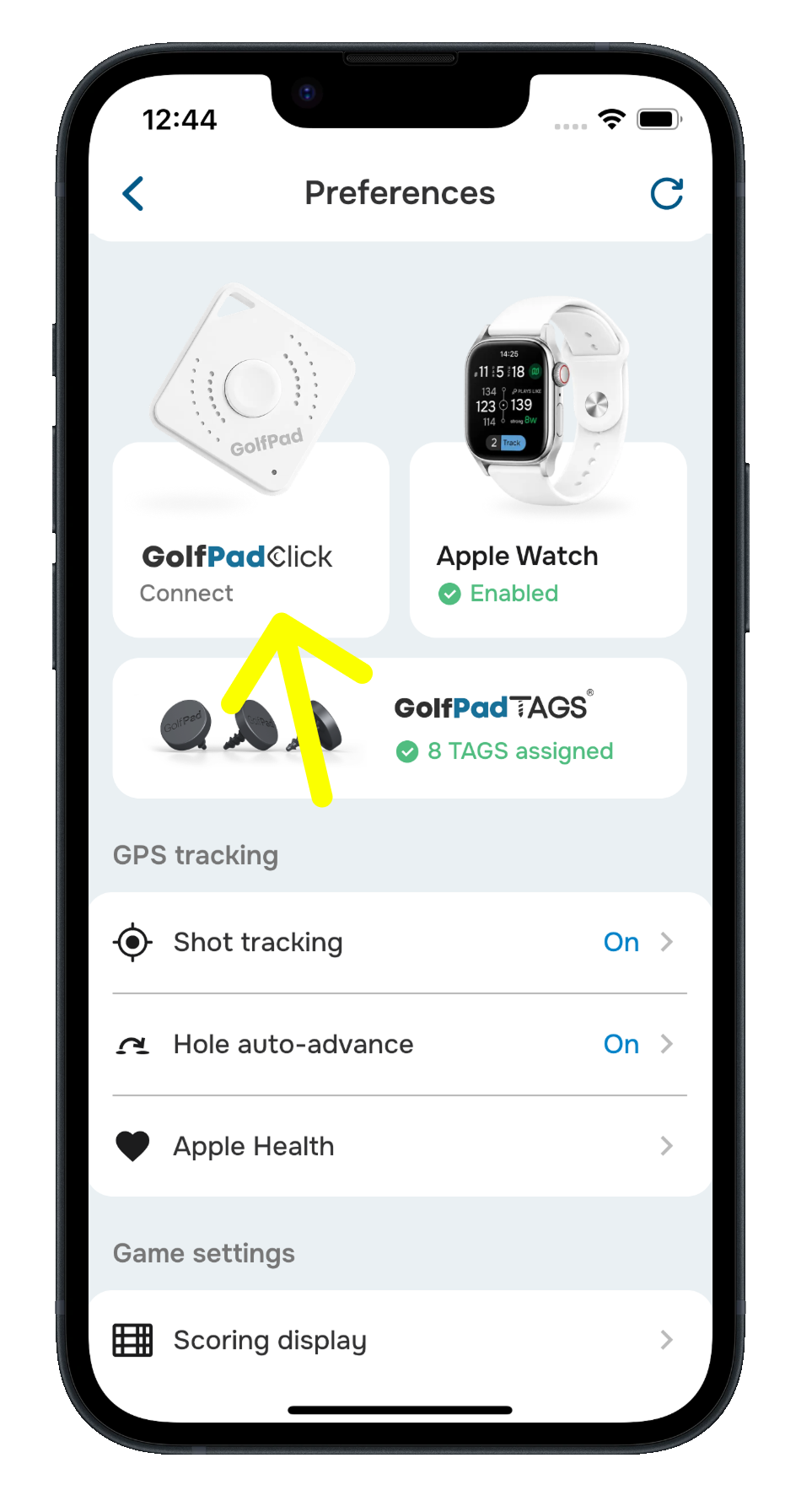
- Open Preferences > Golf Pad Click.
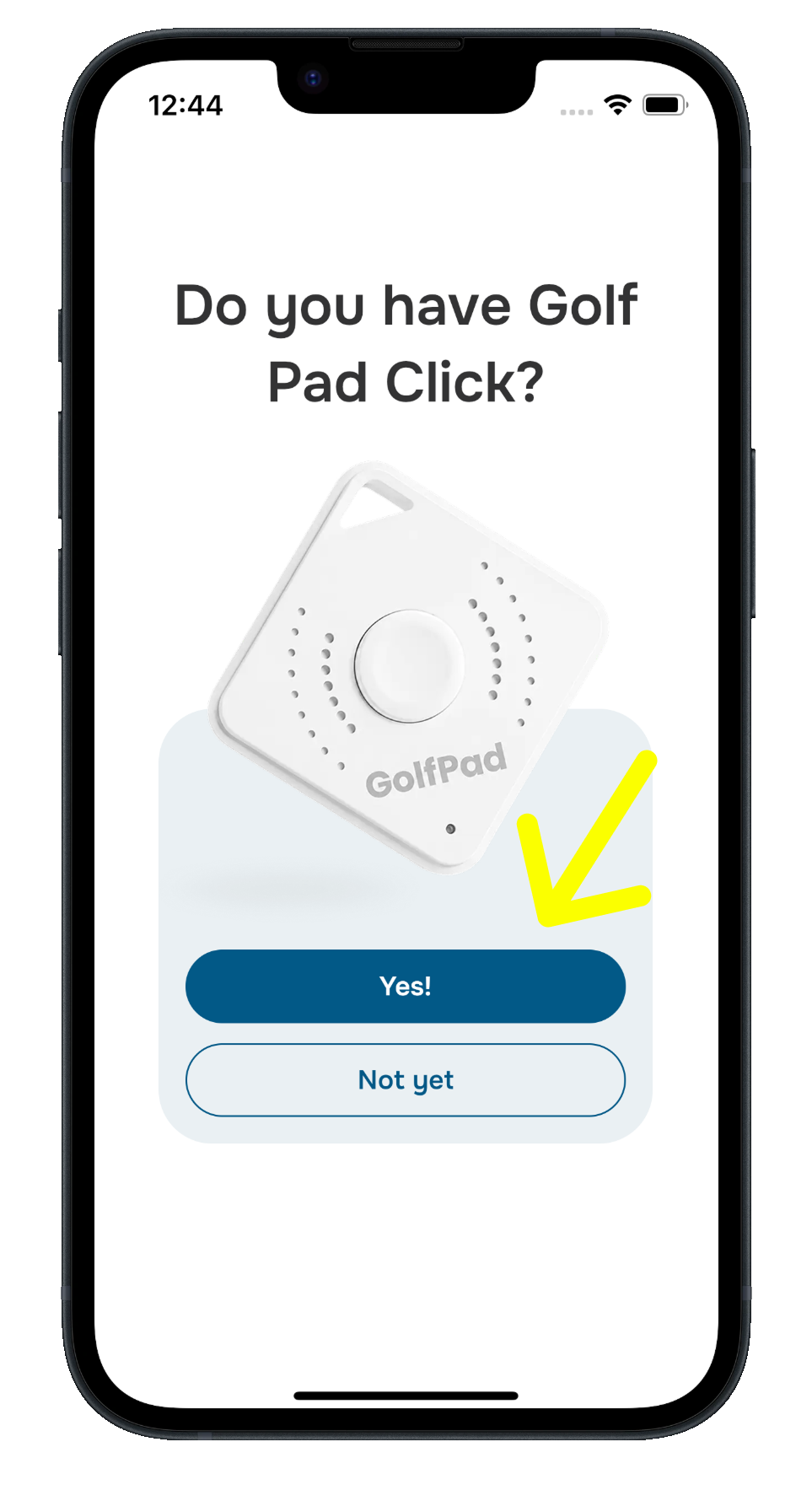
- When asked “Do you have Golf Pad Click?”, tap Yes!
- If prompted, allow Bluetooth access, turn on Bluetooth and allow location access. Some phones need location permission to find nearby Bluetooth accessories.
- Press and hold the button on your Golf Pad Click so the app can discover it.
- If the app finds one Click, it pairs it automatically after a few seconds. If it finds more than one, choose yours from the list. Each Click shows the last 4 characters of its ID.
- The app may ask you to set your typical club distances, so it can match clubs to the shots you track with Click. Tap Save, or I won't track clubs to skip this step.
- Your device should now show a Connected status.
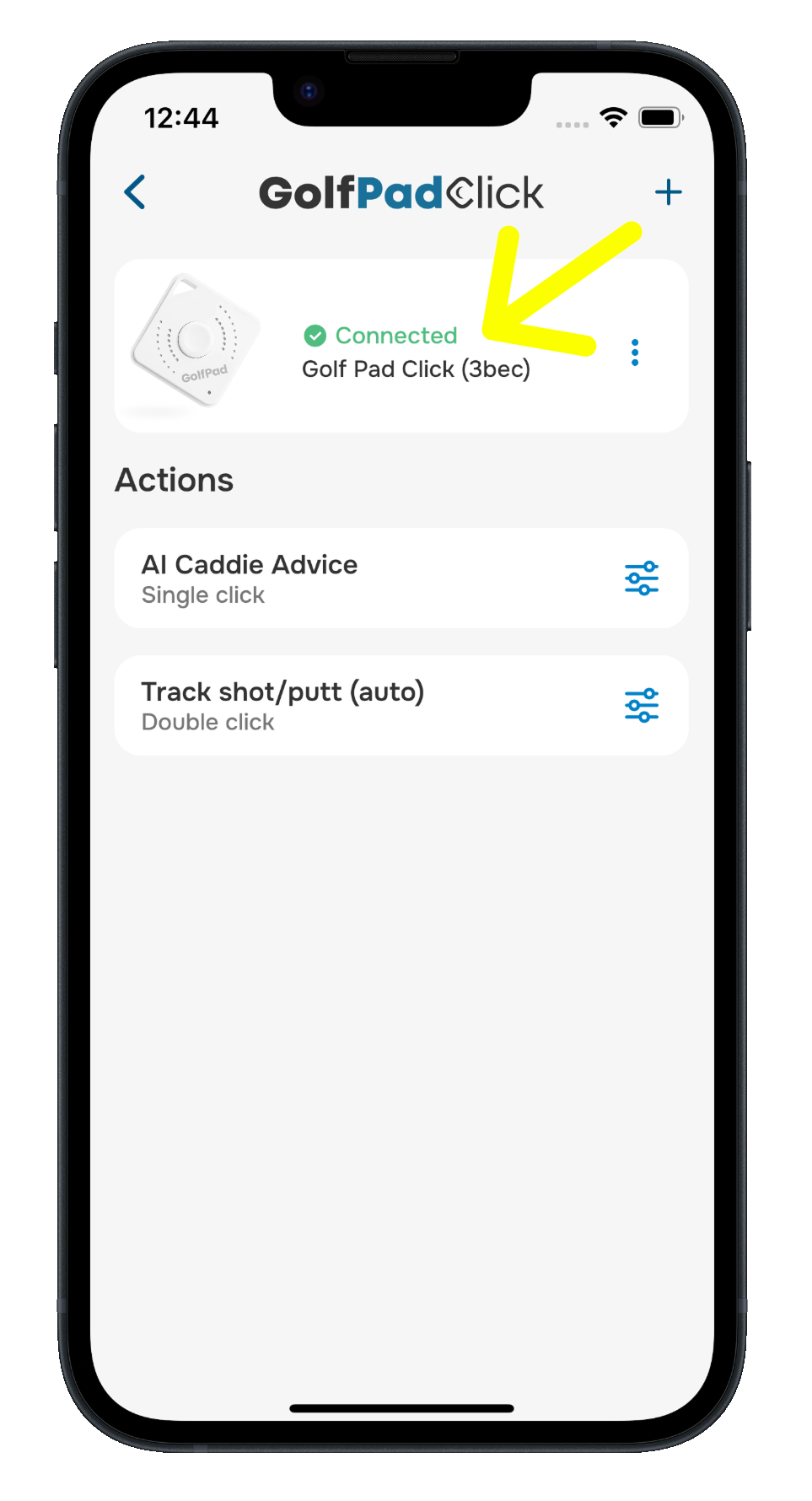
Want to pair another Click? Tap + at the top of the Golf Pad Click screen.
Activate your 3 months of Premium
Golf Pad Click comes with 3 months of Golf Pad Premium. Open Preferences > Golf Pad Click, find the Enjoy Premium card and tap Activate. Your 3 months start when you activate them. If you already have Premium, activating adds 3 months to your current subscription.
Next steps
- Choose what each press does: Customizing Your Golf Pad Click Button Actions
- Use it on the course: Using Golf Pad Click During a Round
Was this article helpful?
That’s Great!
Thank you for your feedback
Sorry! We couldn't be helpful
Thank you for your feedback
Feedback sent
We appreciate your effort and will try to fix the article