The Golf Pad Events Agent is an AI agent that sets up and runs your golf events right from Claude, ChatGPT or any AI assistant that supports MCP.
Instead of working through menus, you describe what you need in plain English, and the Agent does it in Golf Pad Events. It's built for anyone who organizes golf, from a Saturday group to a club championship.
How it works
Connect once, ask in your own words, and approve the setup. The Agent turns your request into a ready-to-share event in Golf Pad Events.
1. Connect once. Add Golf Pad Events to Claude, ChatGPT or another AI assistant and sign in to your Golf Pad account. See How to connect for step-by-step instructions.
2. Ask in your own words. For example: "Set up a stroke play event at Pine Ridge on November 8, white tees, first group off at 8:30."
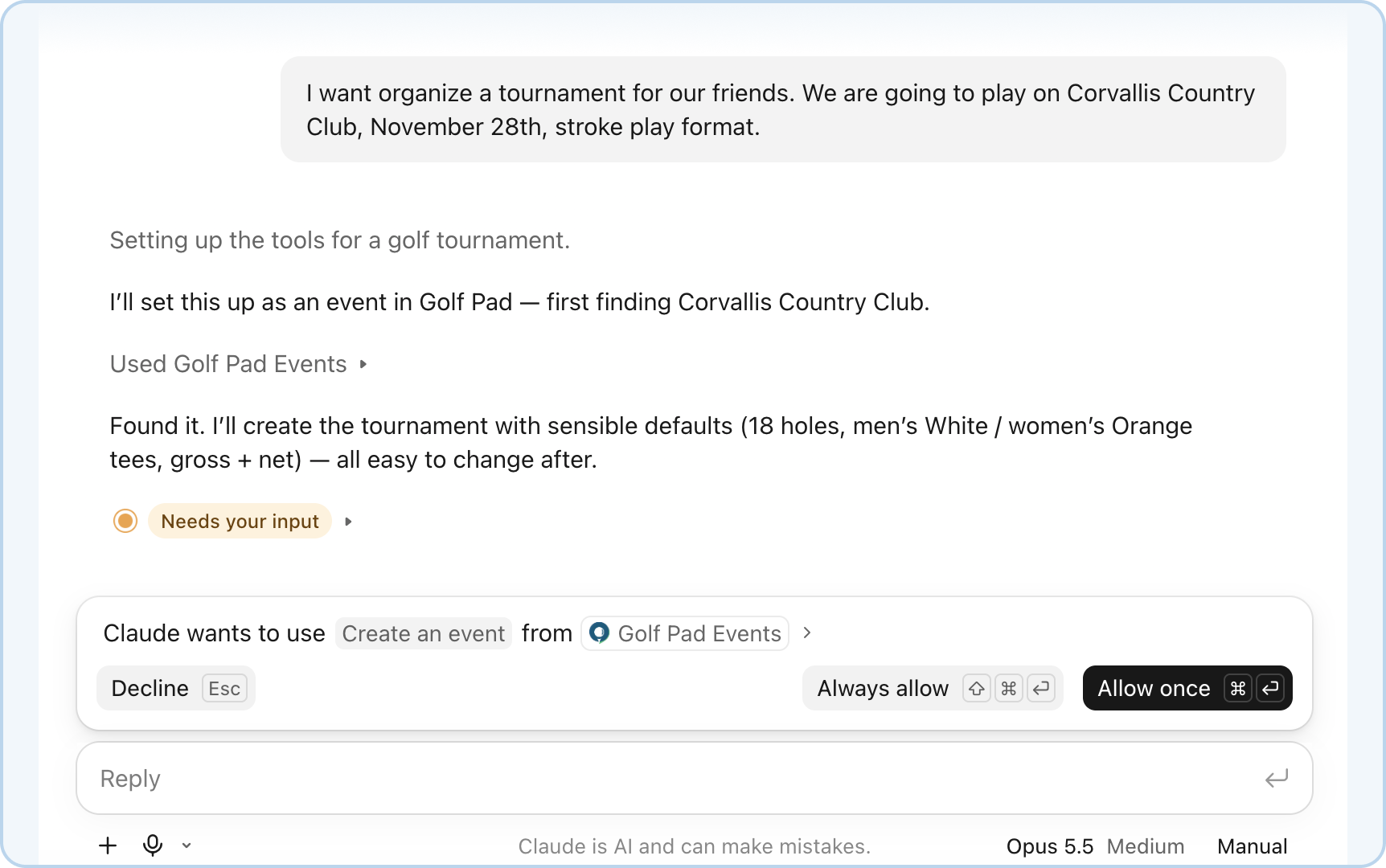
3. Approve and go. The Agent shows you what it's about to do and waits for your OK. Your event appears in Golf Pad Events, ready to share with players.
Getting access
The Agent is available through Early Access. Sign up with the Early Access form on the Golf Pad Events page, and we'll email you your access details and a link to the setup guide.
Early Access already lets you set up and run a complete stroke play event. We add new features often, and What Can the Agent Do? always shows the latest.
Frequently asked questions
Which AI assistants does the Agent work with?
Any AI assistant that supports MCP, including Claude and ChatGPT. How to connect has step-by-step guides for Claude and ChatGPT and general steps for other assistants.
Do I need a paid Claude or ChatGPT plan?
It depends on the assistant. In Claude, every plan can connect the Agent, including Free, which allows one custom connector. In ChatGPT, you add the Agent as a custom MCP server in Plugins on the web (see How to connect). For other assistants, check that your plan supports MCP connectors.
Is the Agent free?
Yes. The Agent is a free feature of Golf Pad Events, and Early Access is free too. Golf Pad Pro features stay part of the paid plan.
Will the Agent change anything without asking me?
No. Before it creates or changes anything, the Agent shows you what it's about to do and waits for your OK.
What can the Agent see in my account?
Only your Golf Pad Events data: your events, players, groups, tee times and scores. It uses this to answer your questions and make the changes you ask for.
Do my players need to use the Agent?
No. The Agent is for organizers. Players open the event link to see their group, tee time and live results.
I made a mistake. Can I fix it?
Yes. Just tell the Agent what to change, for example: "Move the event back to the white tees." You can also edit the event in the Golf Pad Events web app.
What can I do with the Agent right now?
See What Can the Agent Do? for the full list and example requests. You can also ask the Agent directly: "What can you do with Golf Pad Events?"
How do I send feedback or get help?
We'd love to hear from you, especially during Early Access. Email us at support@golfpadgps.com or schedule an online session with our team.
Was this article helpful?
That’s Great!
Thank you for your feedback
Sorry! We couldn't be helpful
Thank you for your feedback
Feedback sent
We appreciate your effort and will try to fix the article