We’re releasing a brand-new device: meet Golf Pad Click!
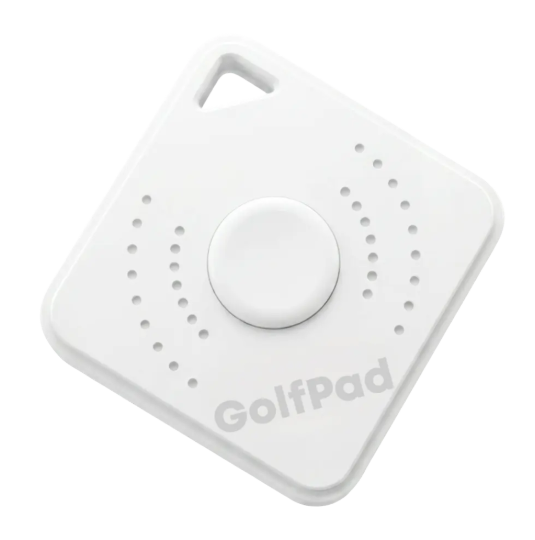
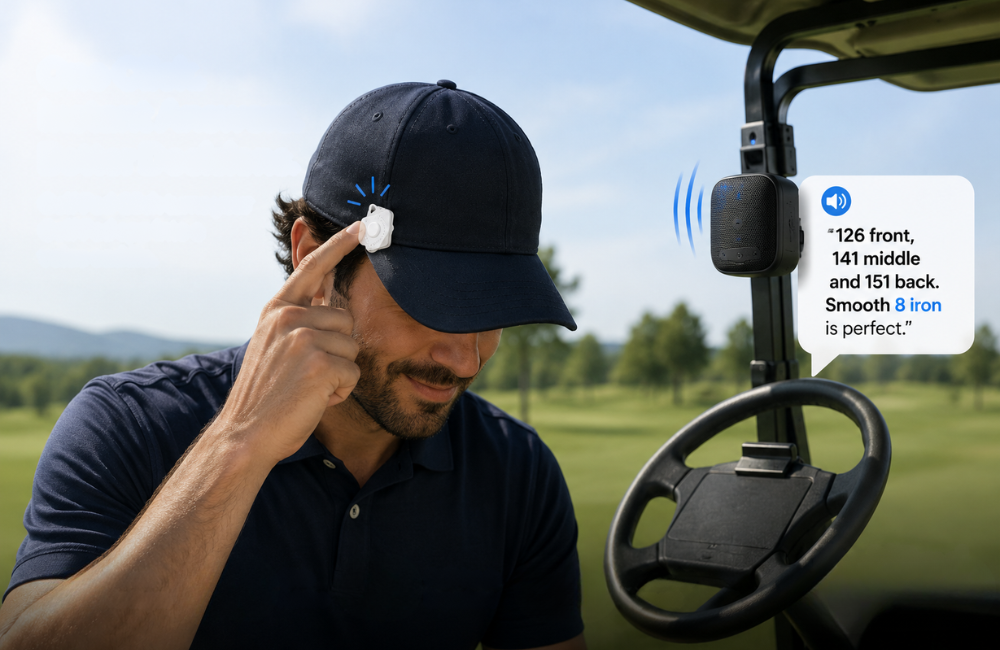
Golf Pad Click is a small Bluetooth button that connects to the Golf Pad app and lets you control it hands-free while you play. With one press, you can hear your distances, get AI advice, or track your shots through your phone speaker, earbuds, or any connected Bluetooth speaker, all without taking your phone out of your pocket.
Think of it as your remote control for a smarter on-course experience.
What Golf Pad Click does
Click has two button gestures: single click and double click, and you can assign different actions to each one based on how you play.
Available actions include:
• AI advice - smart guidance for the shot in front of you
• Distance to the green - front, middle, or all three (front, middle, back)
• “Plays like” distance with a club recommendation
• Current shot distance
• Distance to a hazard
• Track shot, track putt, or track penalty
When you press the button, Golf Pad uses your connected audio device to announce the result out loud.
What you’ll need
• The Golf Pad app installed
• Bluetooth turned on
• Your Golf Pad Click nearby
• A way to hear audio (phone speaker, earbuds, or Bluetooth speaker)
Step 1: Pair your device
Open Settings → Golf Pad Click
When asked “Do you have Golf Pad Click?”, tap Yes
If prompted, allow Bluetooth access.
Press and hold the button on your Golf Pad Click so the app can discover it.
You should now see your device with a Connected status.
Step 2: Set up your button actions
Go to Settings → Golf Pad Click
Tap Single click and choose your preferred action.
Tap Double click and choose your preferred action.
Your choices are saved and ready for your next round.
Step 3: Use it during a round
When a round is active and Click is connected, a Click status button appears in the round toolbar:
• Green - connected, battery good
• Yellow - low battery
• Red - disconnected or error
Press the button to hear your distances, get AI advice, or log your shots, all through your connected audio device.
Was this article helpful?
That’s Great!
Thank you for your feedback
Sorry! We couldn't be helpful
Thank you for your feedback
Feedback sent
We appreciate your effort and will try to fix the article