If you're having trouble starting a round on your smartwatch, check the following:
1. Verify your subscription
Smartwatch sync is available in the free version (distances only).
A Golf Pad Premium subscription is required for full functionality, including:
- Score tracking
- Play Like and club recommendations
- Maps
- Hazards
- Round summary
Make sure your subscription is active if you're trying to use Premium features.
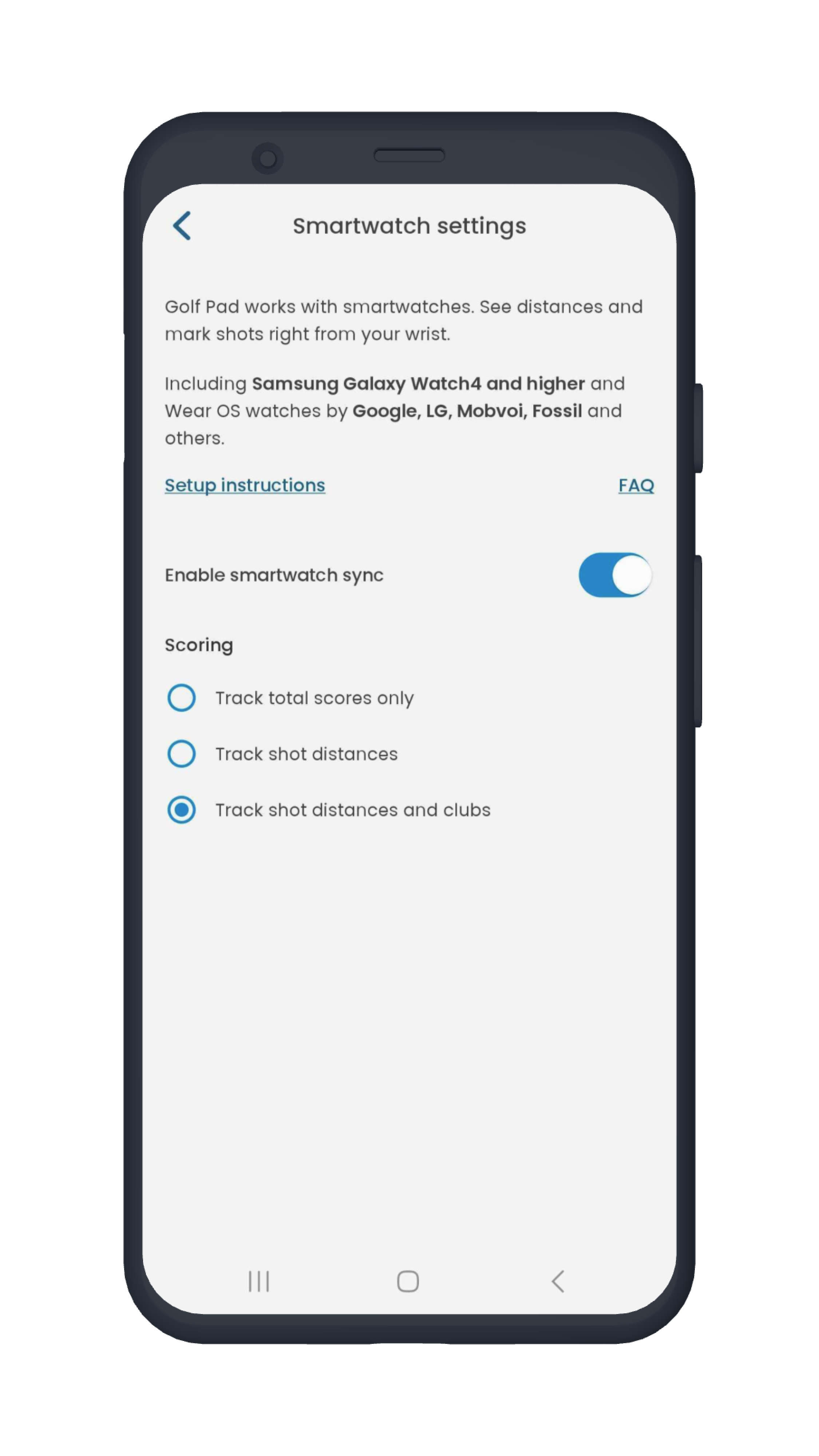
2. Enable smartwatch sync
The watch will not work with the Golf Pad app unless sync is enabled. To turn it on:
- Go to the Preferences menu
- Tap the Smartwatch Sync tab
- Make sure the sync toggle is ON
 3. Ensure your watch is connected
- For Samsung devices, open the Galaxy Wearable/Watch app and confirm your watch is connected to your phone.
- For other devices, check that your smartwatch is properly paired and connected via the respective companion app.
4. Reinstall the app
If none of the above works, try reinstalling the app on both devices.
- Uninstall Golf Pad from your phone
- Uninstall Golf Pad from your watch
- Restart both devices
- Reinstall the app on your phone first
- It'll be automatically installed on the watch (or install it manually)
- Start a round on the phone, it'll be automatically started on your smartwatch
This often resolves sync or startup issues caused by corrupted installation or outdated components.
5. Send a report if the round still won't start
If everything above is done, and a round still doesn't start, send a report from both your phone and your watch:
On the phone:
Open Golf Pad > Preferences > Help & Support
Tap Question or Problem? > Contact us via Email
On the watch:
Scroll to the bottom of the Golf Pad watch app
Tap "Report Issue"
This will help our support team diagnose the problem faster.
Learn more:
If you need more help, please contact us.
Was this article helpful?
That’s Great!
Thank you for your feedback
Sorry! We couldn't be helpful
Thank you for your feedback
Feedback sent
We appreciate your effort and will try to fix the article