We've rebuilt Statistics to give you a clearer picture of your game. You'll find Strokes Gained for every part of your game, shot maps for every hole you play, up and down performance, putting distribution and a lot more, all in one place.
The old statistics screen will be retiring soon, so we put together this guide to help you find your favorite stats in their new home. Until then, you can still open it with View old statistics at the top of Statistics.
Filters
Tap the filter button at the top of Statistics to choose which rounds you see.
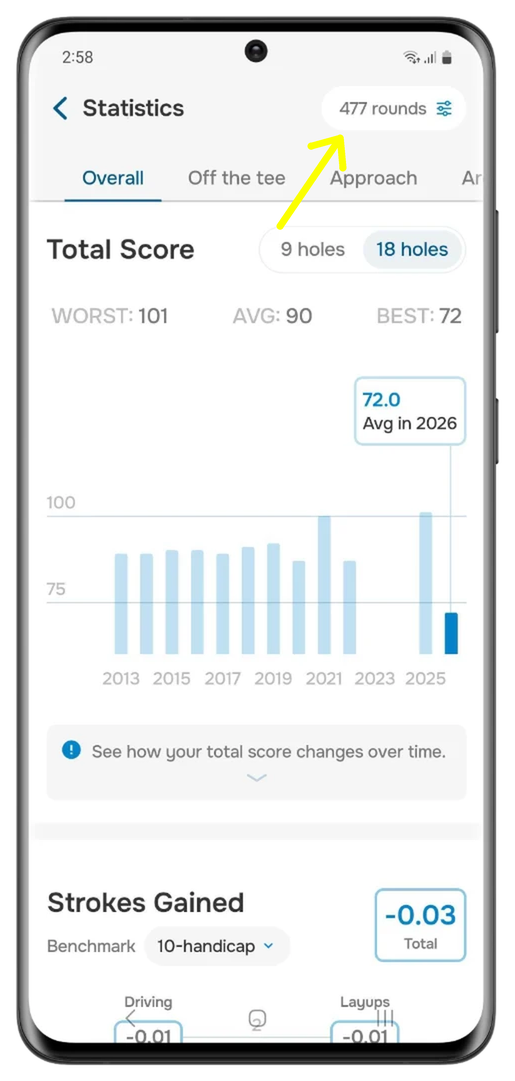
- Show: All rounds, Last 50 rounds (the default), Last 20 or 10 rounds, Last 12 or 6 months, or a Date range. Some options appear once you've played enough rounds.
- Course: you can now pick several courses at once.
- Holes Played: Any, 9 or 18.
Looking for "Last 1 month"? Just use Date range.
Course strategy: where to aim and where to avoid
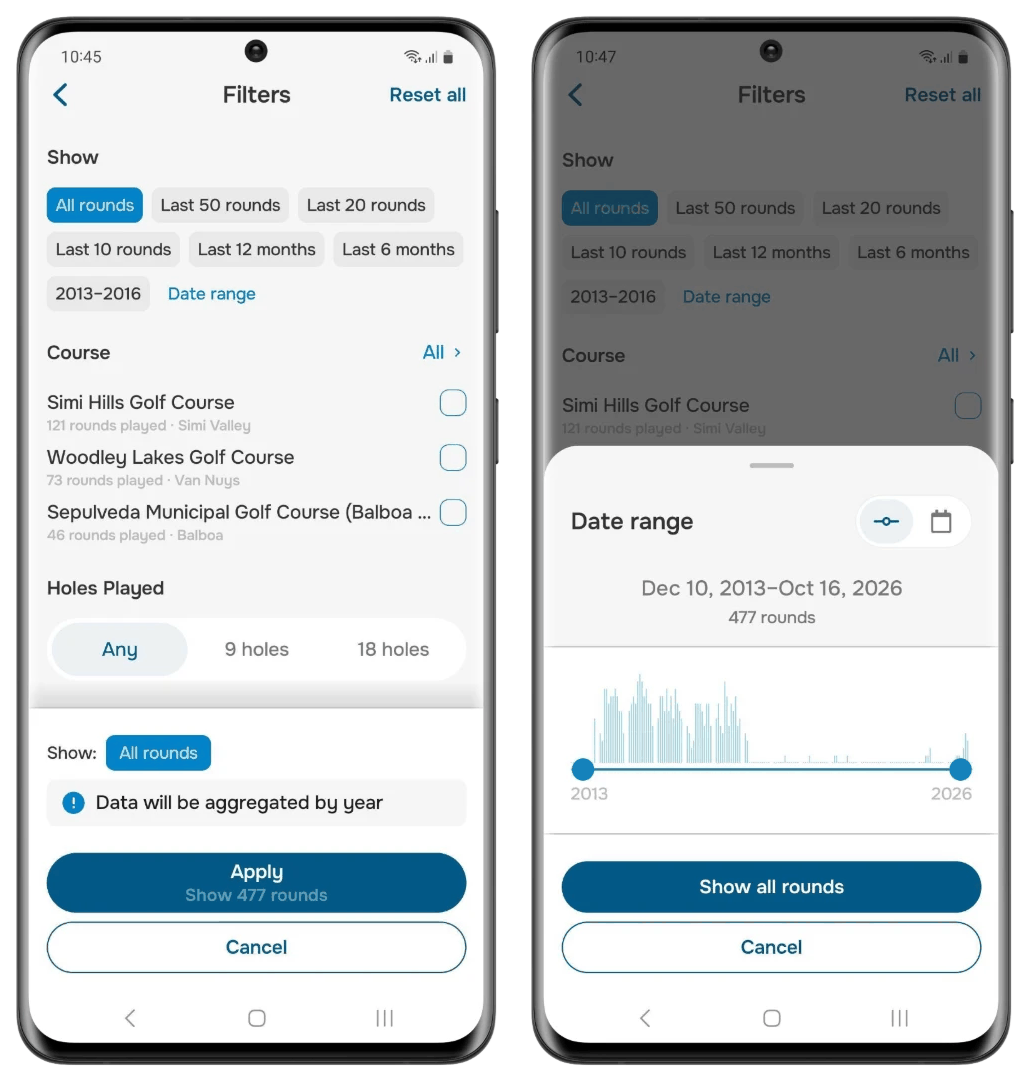
Open the Courses tab to see every course you've played, with your most played courses first. Pick a course to see your best score, average score, Strokes Gained, fairway hits and putts there.
Tap any hole for a shot map built from your own rounds, and swipe to move between holes:
- Drives shows where your tee shots finished, colored by how the hole turned out.
- Approach shows where your approach shots landed and how many strokes it took to finish the hole from each spot. Green dots show your safer landing areas and red dots show the costly misses, so you can pick smarter targets next time you play.
- Filter by club or distance to dig deeper.
The first holes are free, and Premium unlocks the shot map on every hole.
Strokes Gained
Overall > Strokes Gained shows your total and each category. Use the Benchmark button to see how you compare with a PGA Tour player, a scratch golfer, or a 10 or 20 handicap.
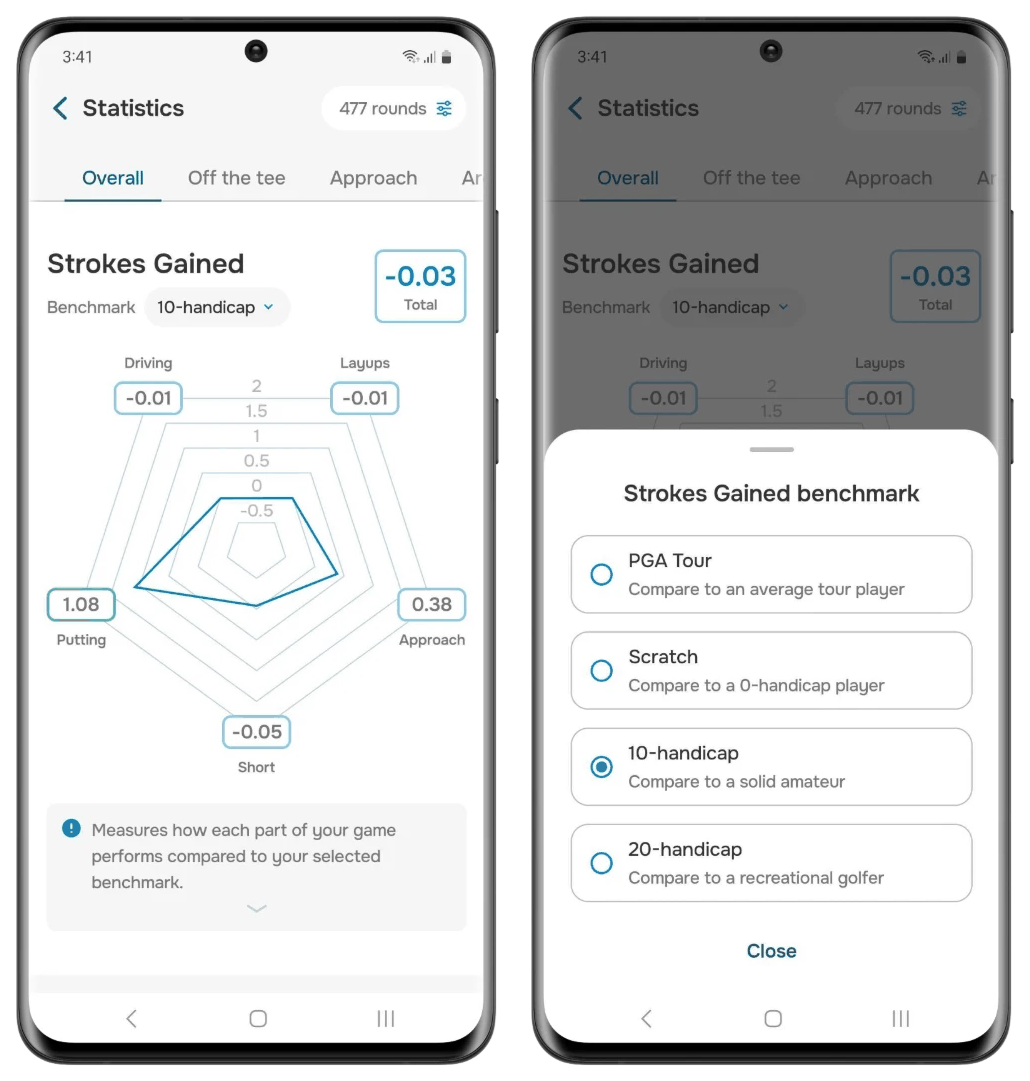
Each tab (Off the tee, Approach, Around green, Putting) has its own Strokes Gained trend, so you can see exactly where you're gaining or losing shots. For Strokes Gained per club, go to Clubs > Strokes Gained by Club.
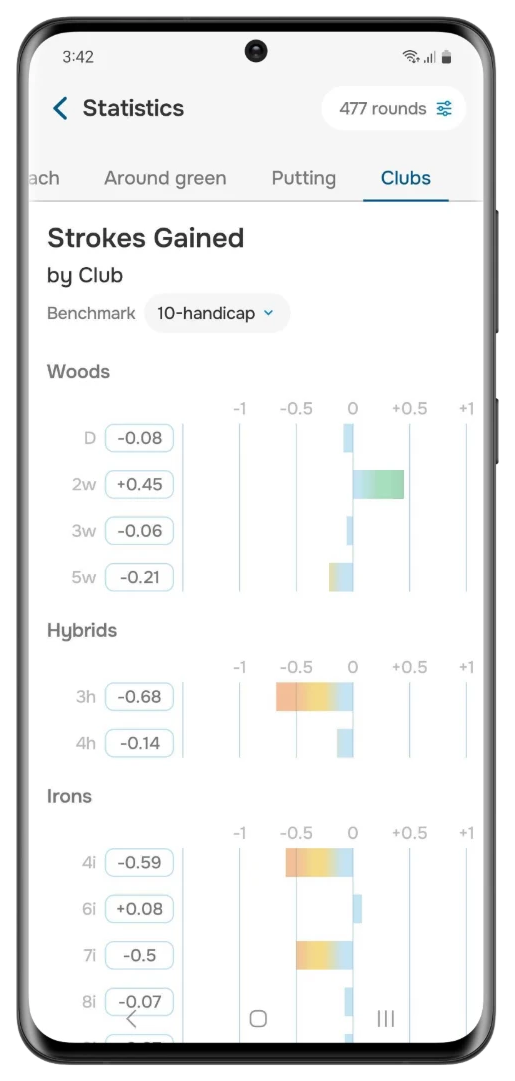
Clubs
Go to Clubs > Distances and tap a club to see its median, average and longest distance, shots, penalties and shot pattern. To include or exclude a shot, use the In stats toggle under Previous Rounds.
Your club distances may look different from the old statistics. Clubs > Distances shows your median distance, and Statistics covers your last 50 rounds by default. Tap a club to see your average and longest too, and set Show to All rounds in the filter to compare the same rounds.
For club accuracy, check Off the tee > Tee Shot Performance by Club, Off the tee > Tee Shot Outcomes (filter by club), Clubs > Club Shot Dispersion and Approach > Greens Hit (By club).
Compare a round with your average
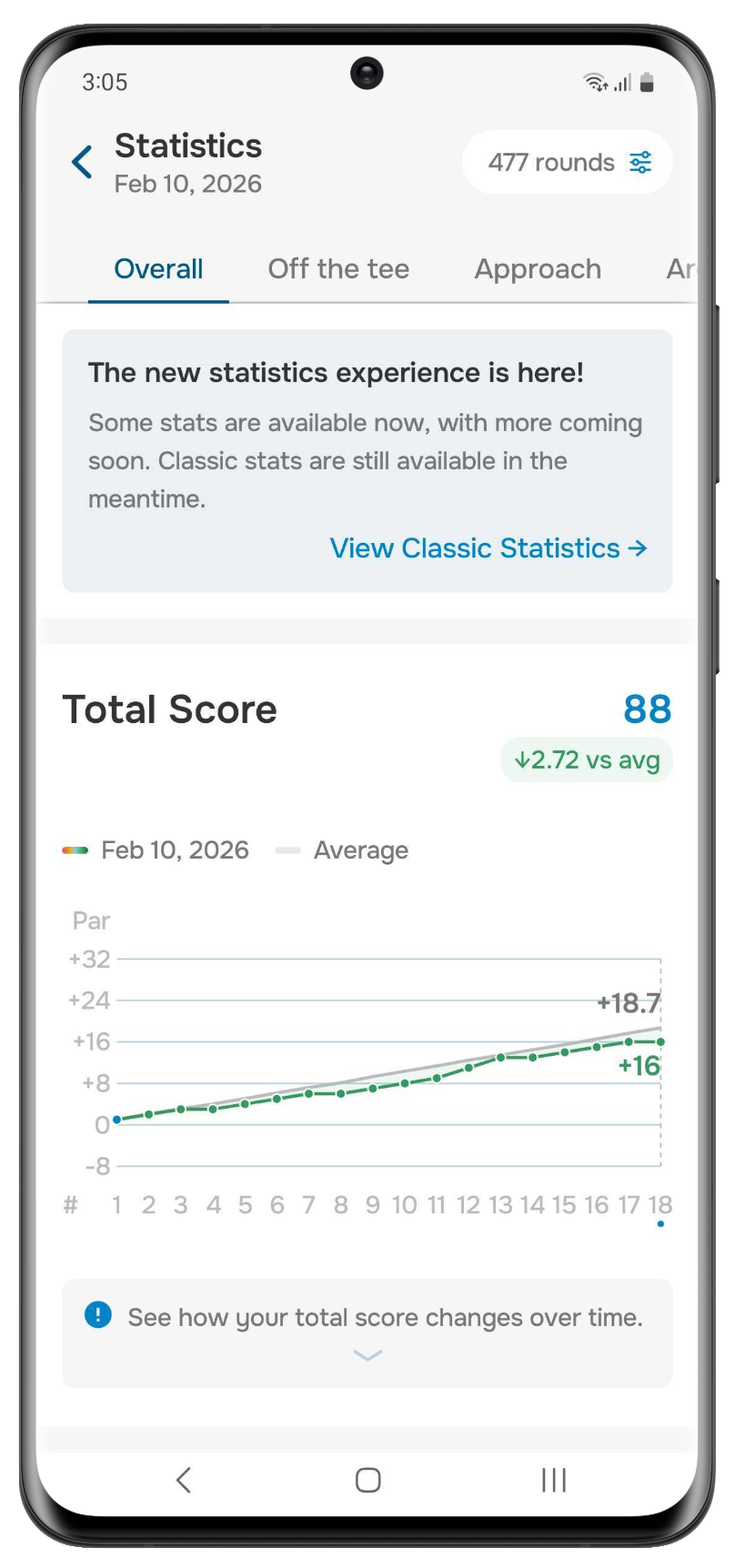
Open Statistics from an active round's menu, or from a past round's scorecard or summary. Every card, including the Classic tab, will then show how that round stacks up against your average. This includes Clubs > Distances, which shows each club’s median for that round next to your usual median. It's a great way to see what went right (or wrong) on the day.
Prefer the familiar numbers? Try the Classic tab
Swipe to the Classic tab at the end of Statistics for the straightforward numbers you're used to, all on one screen:
- Overview (for 18 and 9 hole rounds): rounds played, total score, front and back score, putts, G.I.R., penalties, sand, pars from sand and pace of play
- Fairways: hit, miss left, miss right, miss short and miss long
- Scoring: birdies or better, pars, bogeys, double bogeys, triples or worse, average score, putts, G.I.R., putts per G.I.R. and scrambling. Switch between Overall, Par 3, Par 4 and Par 5.
Quick reference
| Looking for | Where to find it |
|---|---|
| How each round broke down | Overall > Scoring Distribution (birdies or better, pars, bogeys and worse, round by round) |
| Score trend | Overall > Total Score (switch between 18 and 9 holes) |
| Fairway misses in detail | Off the tee > Driving Accuracy |
| Approach accuracy by distance or club | Approach > Greens Hit, Approach > Approach Shot Dispersion |
| 1, 2 and 3+ putts | Putting > Putting Distribution |
| First putt length | Putting > First Putt Length |
| Up and downs | Around green > Up-and-Down Performance |
| Pace of play | Overall > Activity (plus distance walked, elevation and energy) |
| Handicap trend | Profile > Handicap |
Can't find something, or not sure what a stat means? Just reach out to us and we'll be happy to help.
Was this article helpful?
That’s Great!
Thank you for your feedback
Sorry! We couldn't be helpful
Thank you for your feedback
Feedback sent
We appreciate your effort and will try to fix the article