In Golf Pad GPS, you can easily exclude a round from statistics and even add it back to your statistics if you change your mind.
To exclude a round:
1) Open the Golf Pad app;
2) Go to the start screen;
3) Tap Playing History;
4) Select the round you want to exclude;
5) Use the toggle switch to exclude the round from your stats.
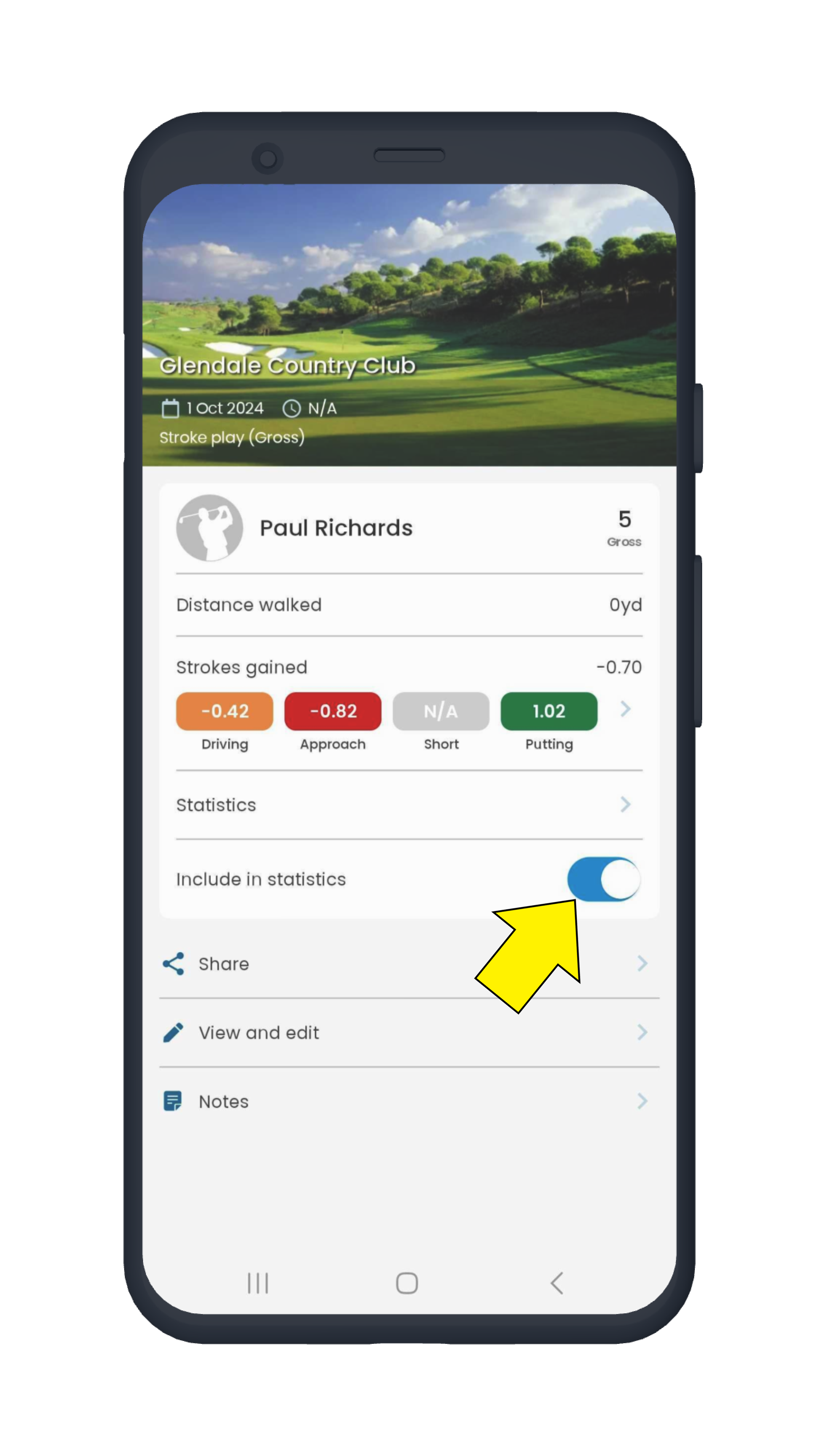
You can switch it back on anytime if you change your mind.
Was this article helpful?
That’s Great!
Thank you for your feedback
Sorry! We couldn't be helpful
Thank you for your feedback
Feedback sent
We appreciate your effort and will try to fix the article