Strokes Gained is a Golf Pad Premium feature that gives you a detailed breakdown of your game and shows exactly where strokes are being gained and where they're being lost.
Using the same statistical approach used on the PGA Tour, Strokes Gained (SG) compares every shot you hit against a benchmark player. A great shot gains strokes, while a poor shot loses strokes. Over time, this creates a clear picture of your strengths and weaknesses.
Golf Pad uses PGA Tour data for SG calculations and also lets you compare your game against:
- 10 handicap golfers
- 20 handicap golfers
Golf Pad breaks your game into five Strokes Gained categories:
- Off the Tee — tee shot performance
- Layups — positioning and recovery shots
- Approach — shots into the green
- Around the Green — chips, pitches, and bunker shots
- Putting — putting performance relative to expectations
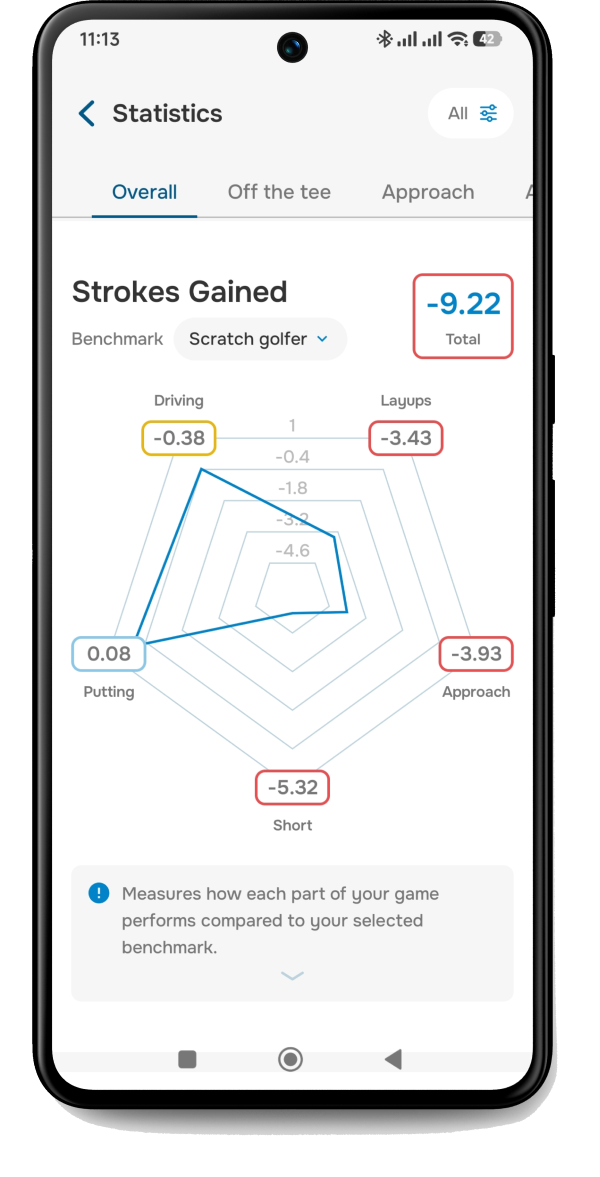
Positive numbers mean you're outperforming the selected benchmark in that area. Negative numbers show where strokes may be leaking away.
Strokes Gained values are now displayed mostly per 18 holes instead of per hole, making the numbers easier to understand and compare over time.
A few additional details:
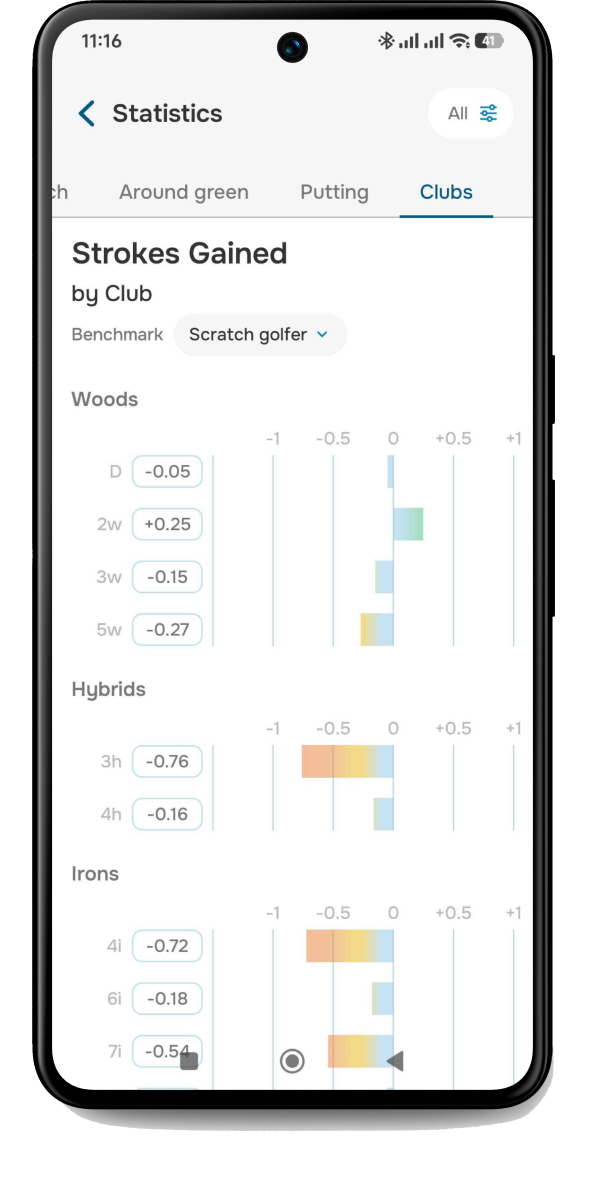
- Club statistics still display SG per shot
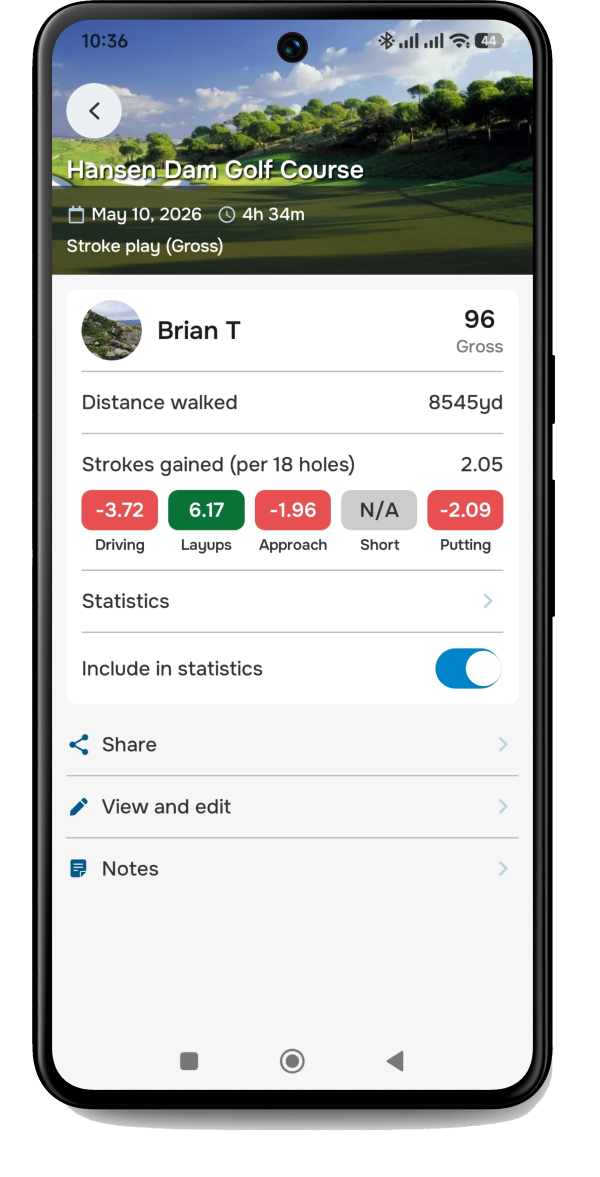
- Round summaries show:
- SG per 18 holes if you played more than 9 holes
- SG per 9 holes for shorter rounds
It's easy to spot trends, strengths, and weaknesses across your complete playing history or individual rounds in Stroked Gained overall statistics.
Drill into Strokes Gained by club to find exactly where shots are leaking out.
You can also see a break down of an individual round in the playing history and post round wrap up screen.
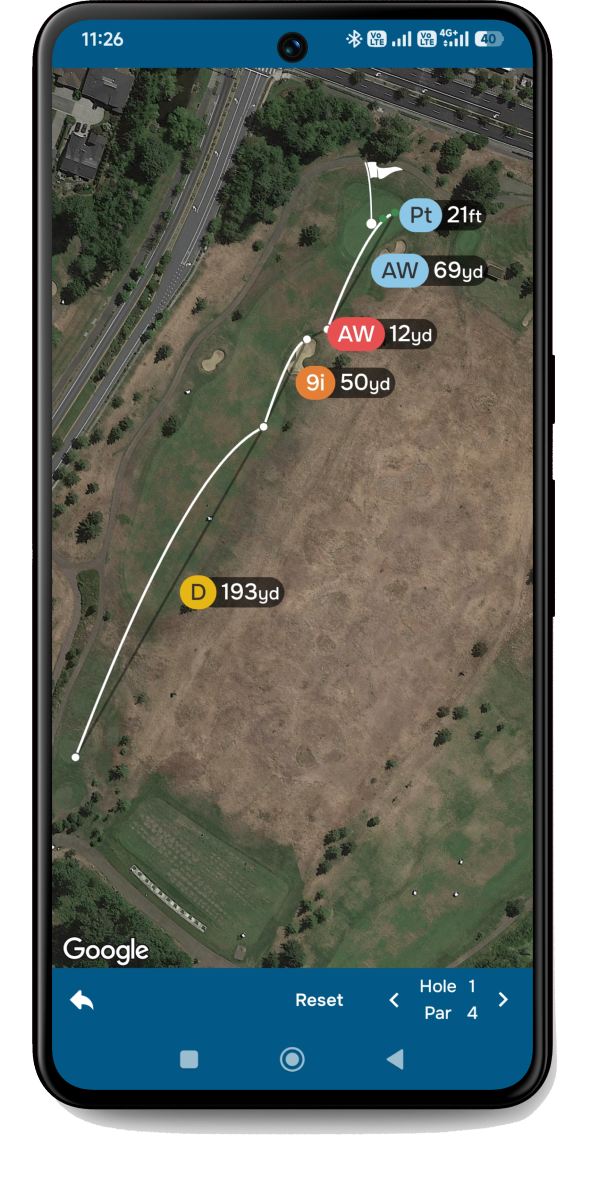
Shot-by-shot color coding
Golf Pad also uses color coding to highlight shot quality during round review:
- Dark green — excellent shot
- Light blue — average shot
- Yellow/Orange — below average
- Red — very poor shot
Below you can see a shot by shot breakdown for an individual round. The darker green a shot is the better the shot, light blue shows shots that fall in the average range, yellow-orange shots are below average and red denotes a very poor shot.
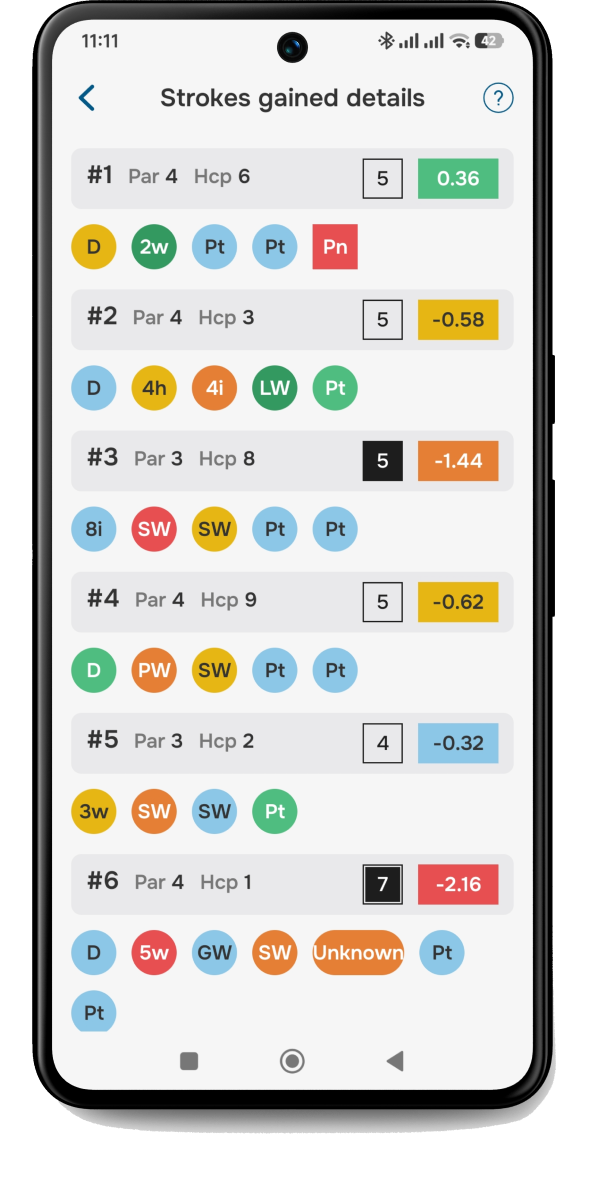
Users can also see the color coding in their round review, adding another level of insight to the map view.
Strokes Gained is a powerful way to understand your game in more detail than traditional statistics. It is most effective when used consistently over multiple rounds, as patterns become more meaningful over time.
For best results, make sure you record all shots accurately in Golf Pad so the calculations reflect your true performance.
Was this article helpful?
That’s Great!
Thank you for your feedback
Sorry! We couldn't be helpful
Thank you for your feedback
Feedback sent
We appreciate your effort and will try to fix the article