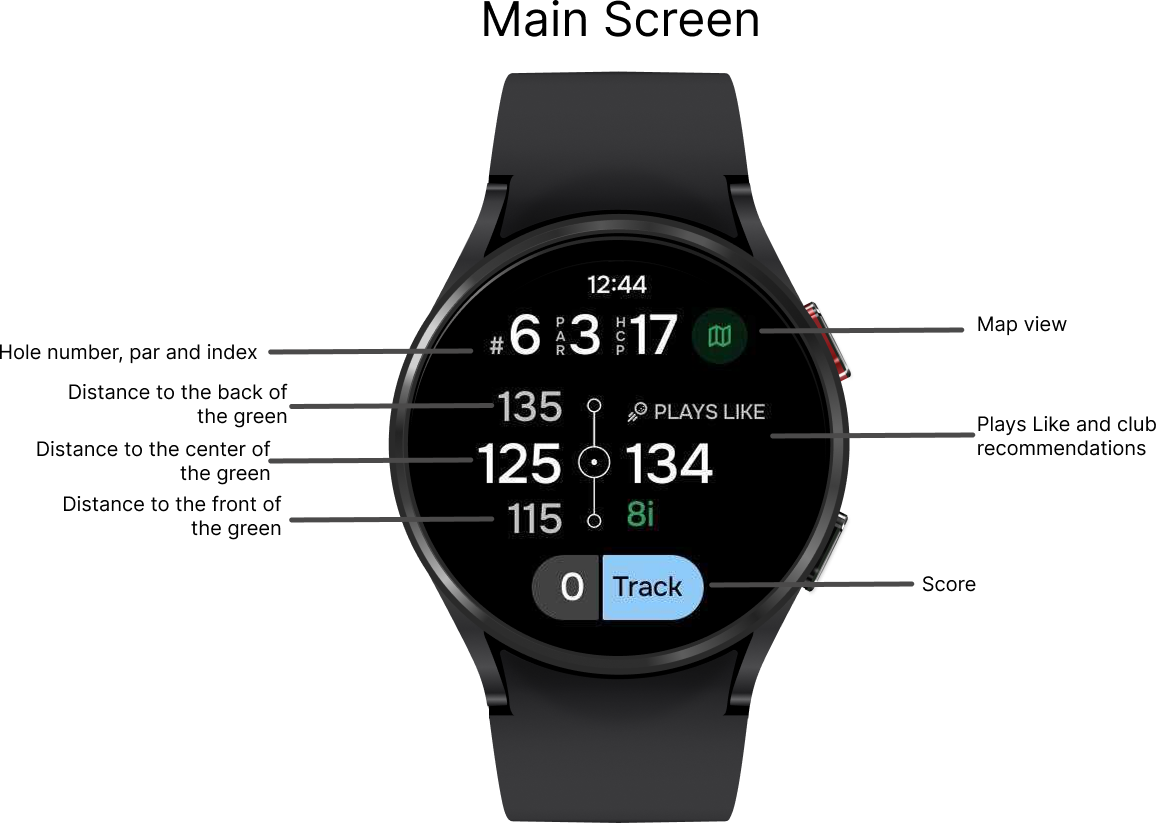
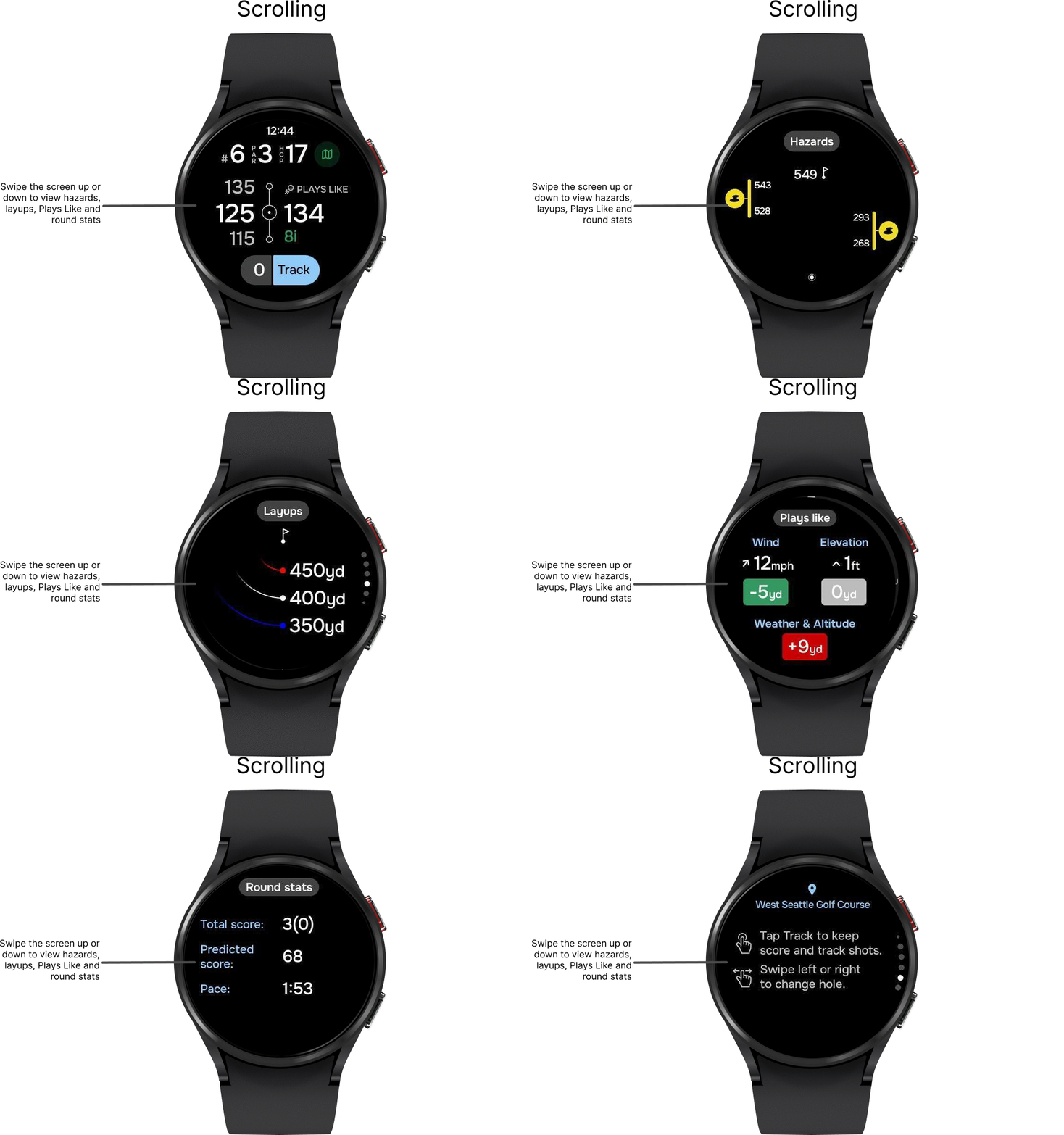
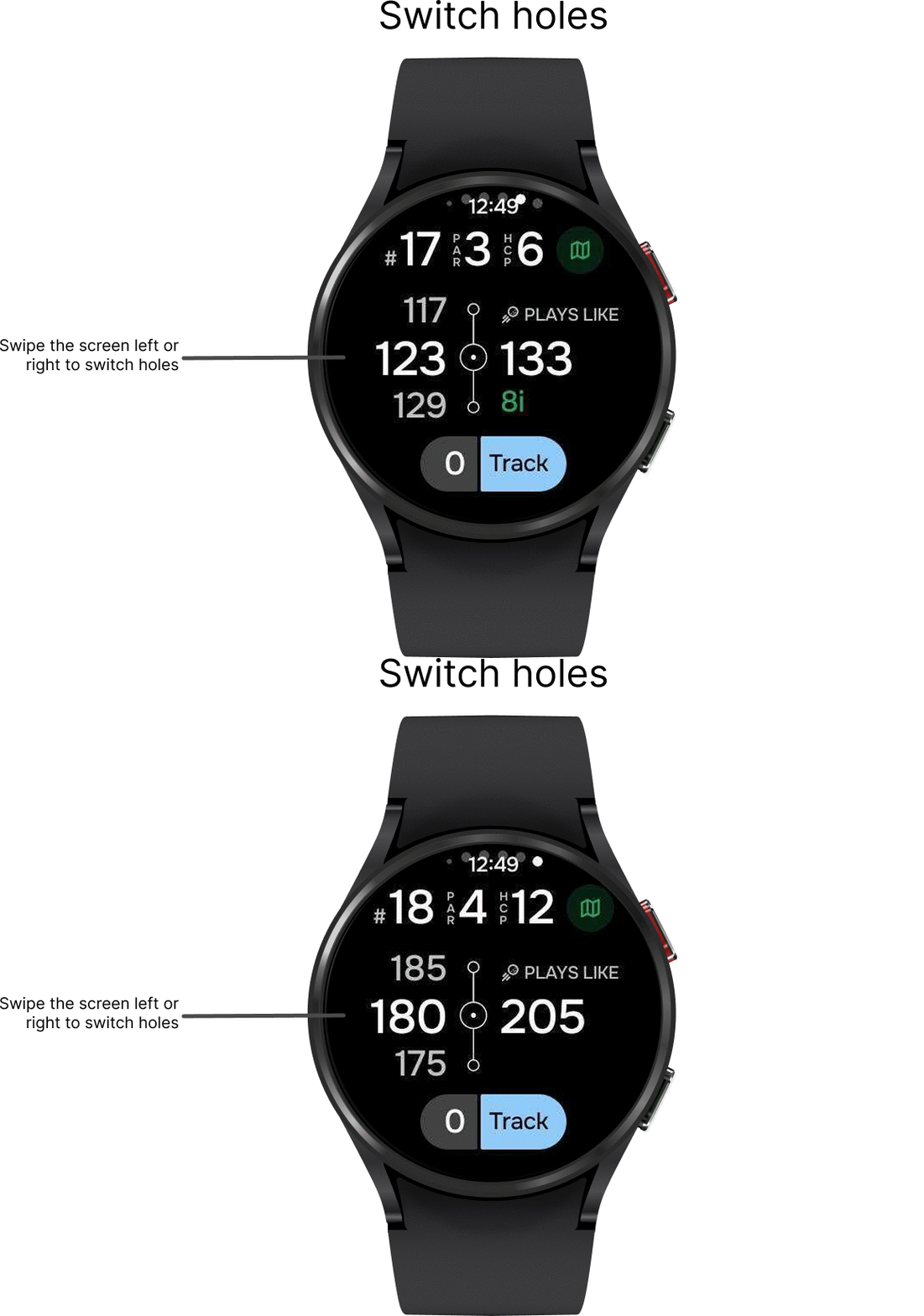
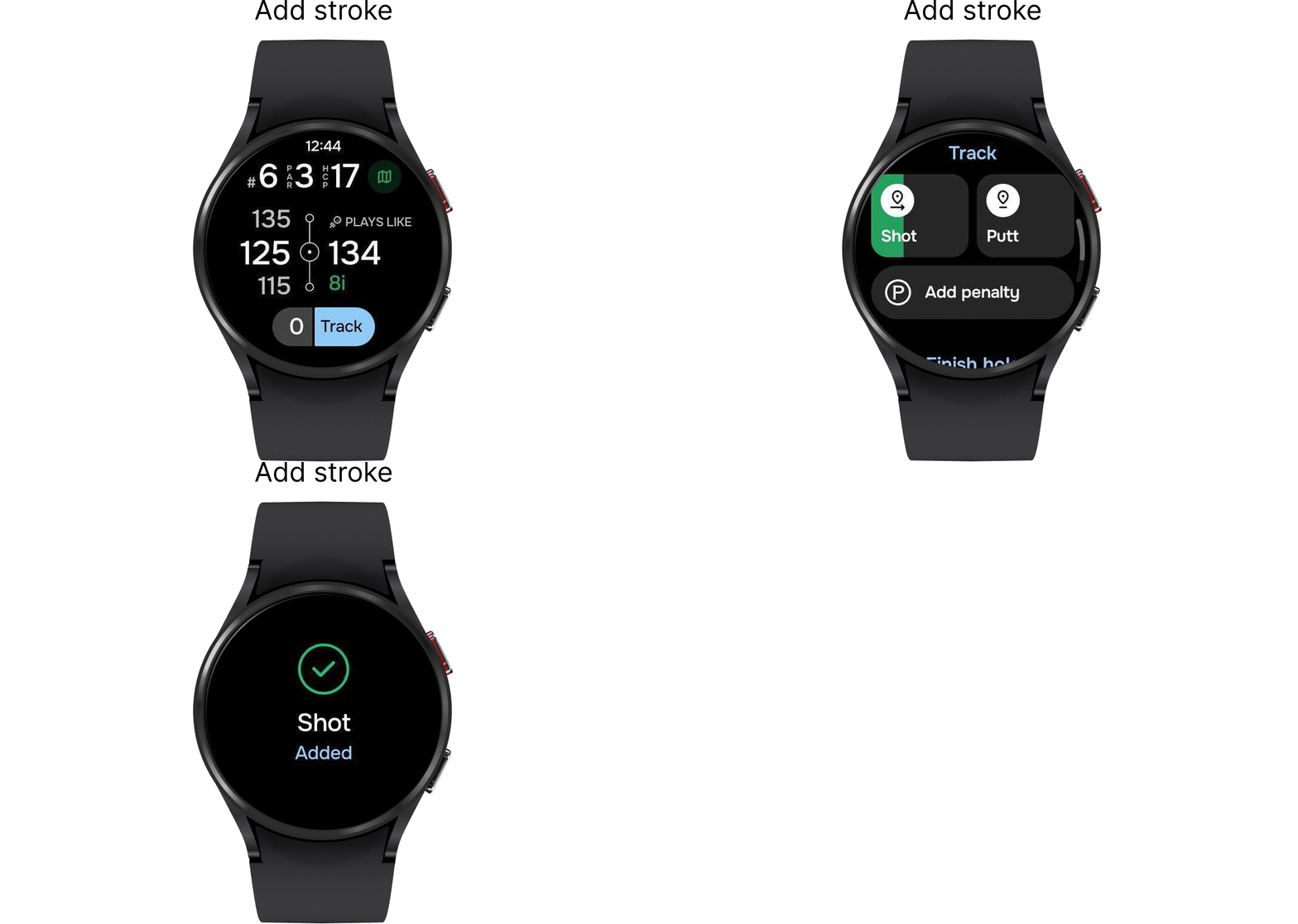
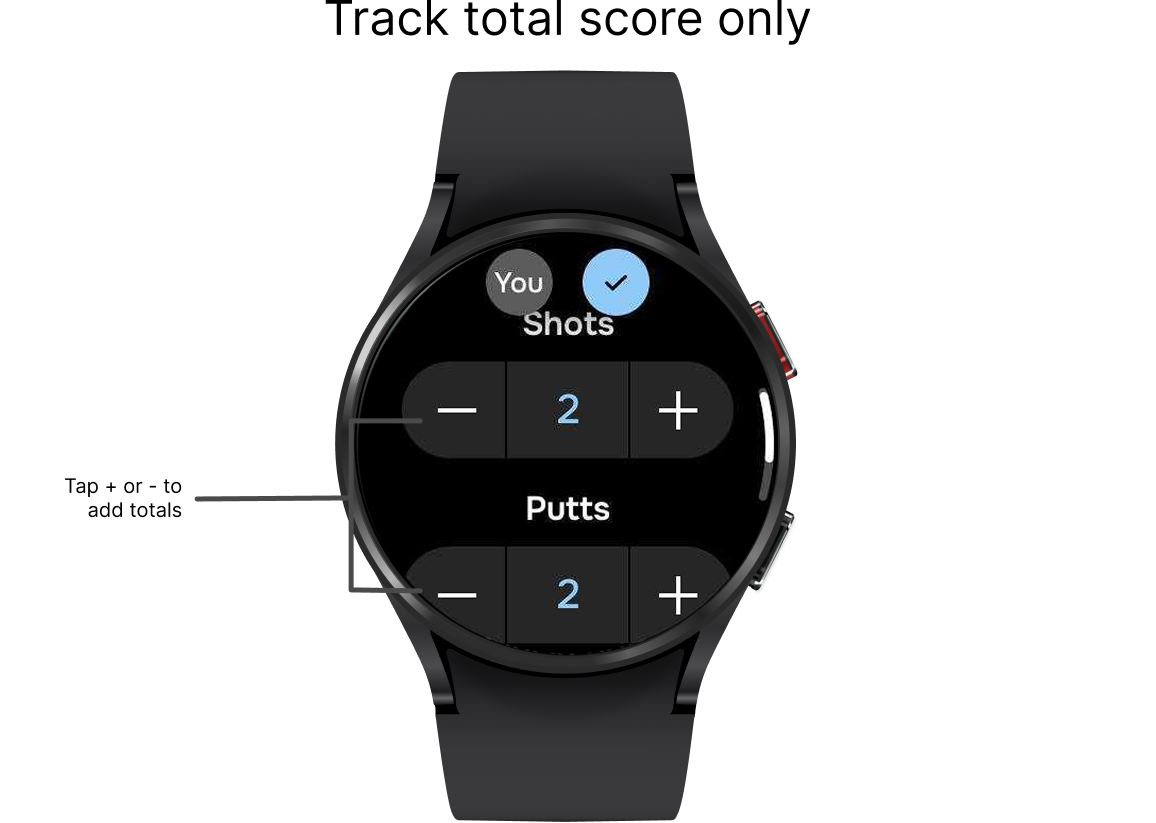
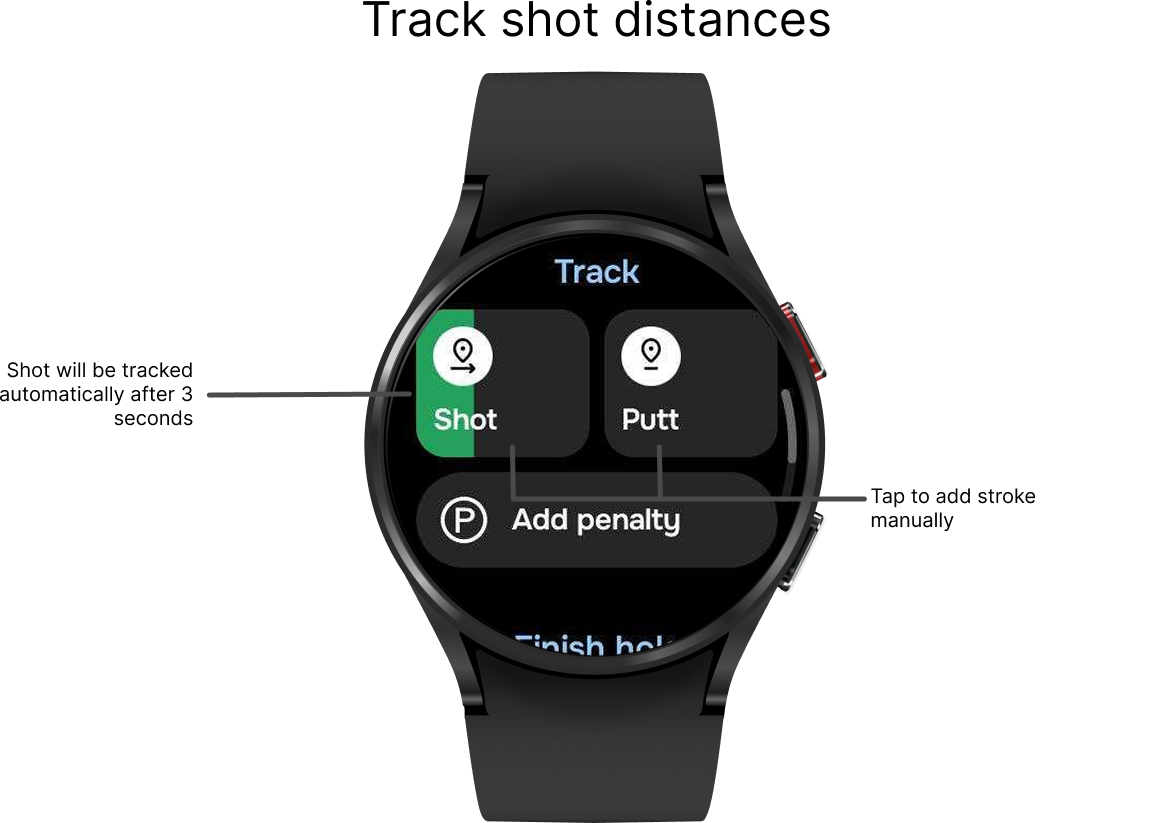
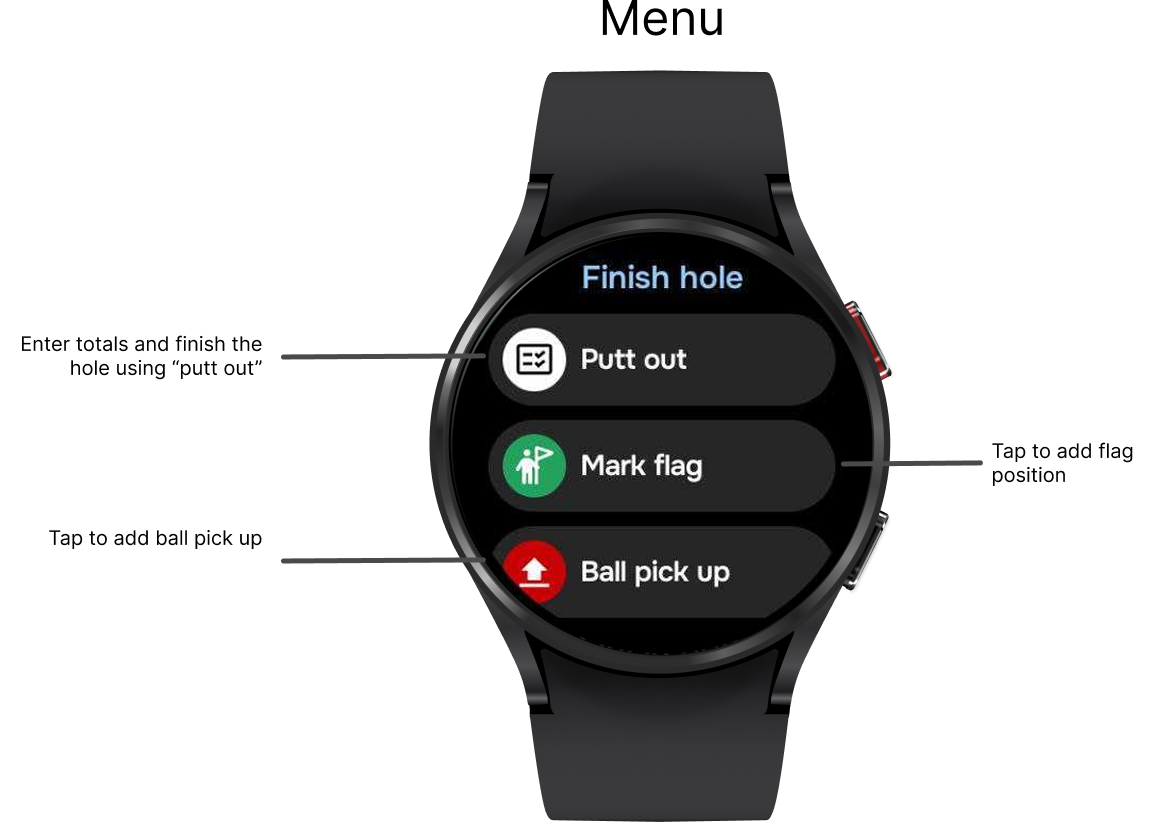
NOTE 1: Select a scoring mode in the phone app: go to Preferences > Smartwatch sync.
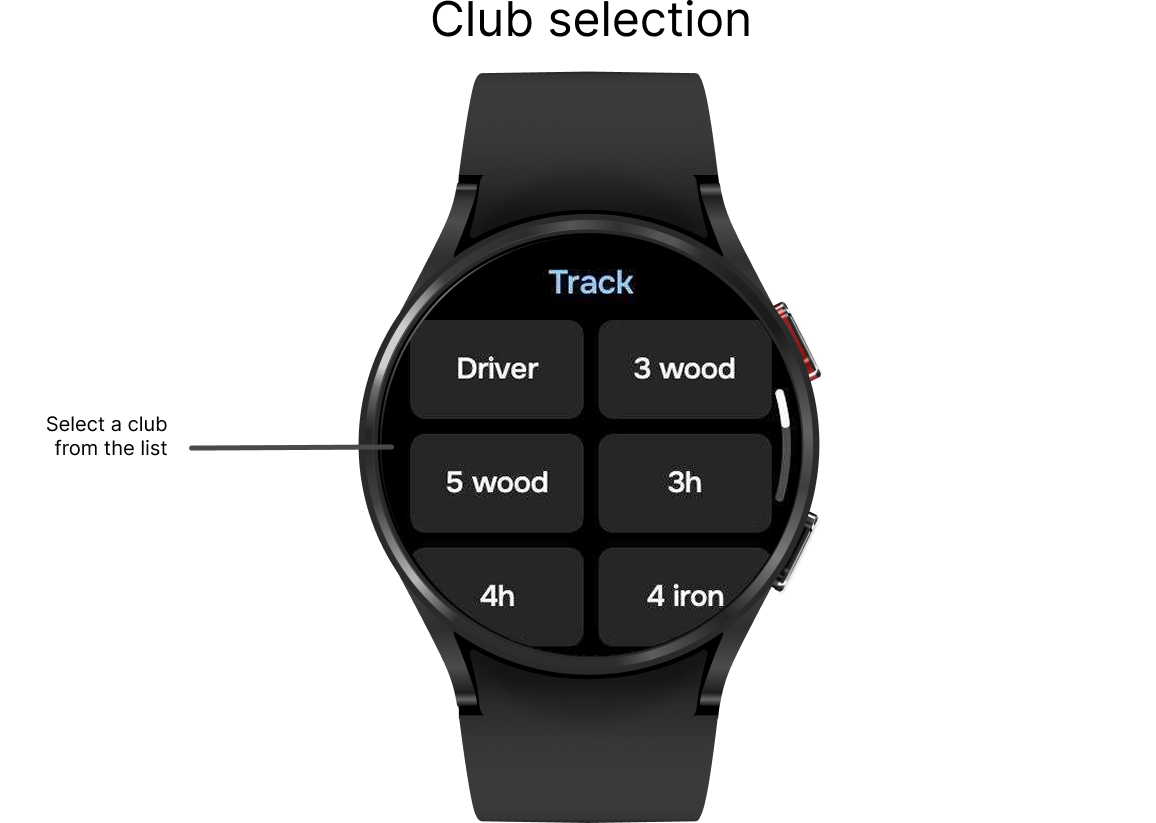
NOTE 2: Select 'Track shot distances and clubs' in Preferences > 'Smartwatch sync' to enable club selection.
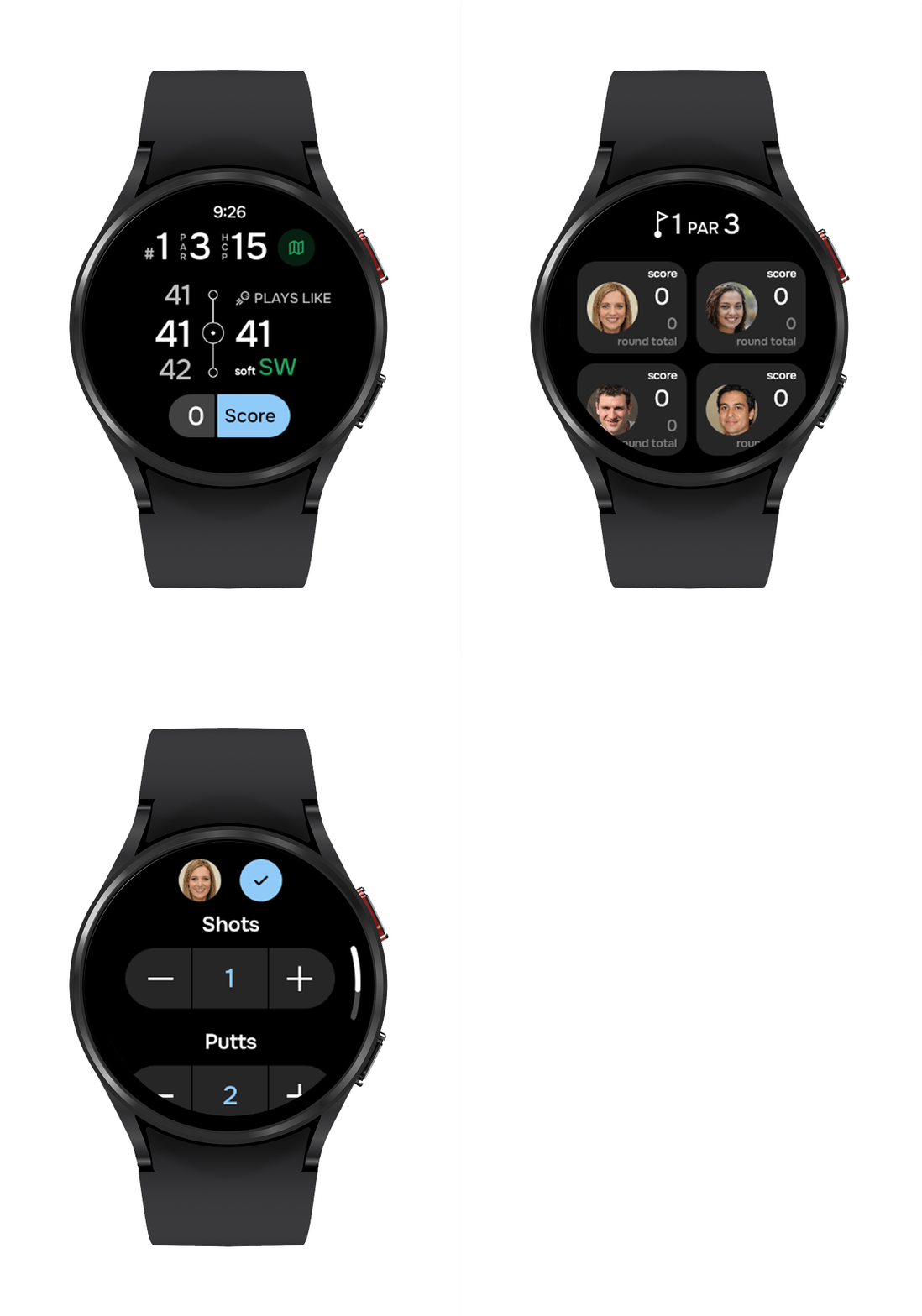
Multiplayer mode
If you're playing with multiple players, you can track everyone's score directly on your watch. Simply tap "Score" and enter each player's totals to keep the game updated in real time.
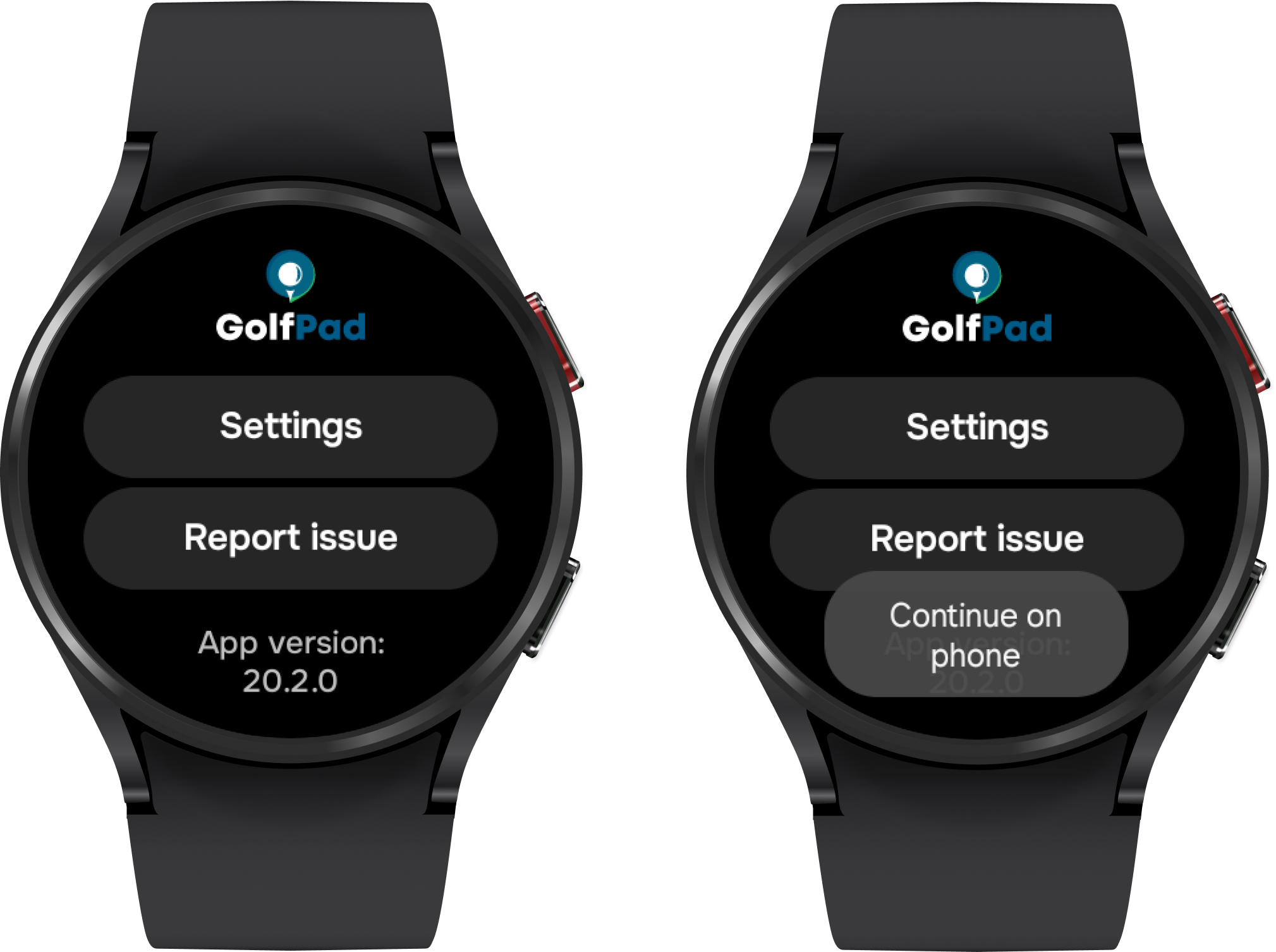
Sending a report
If you encounter a problem, or if the support team asks you to send a report from your watch, please scroll down on the watch screen and tap "Report issue". This will open the support portal on your phone, and the report will be sent to us automatically. To ensure the report was sent correctly, please close the watch app and then reopen it.
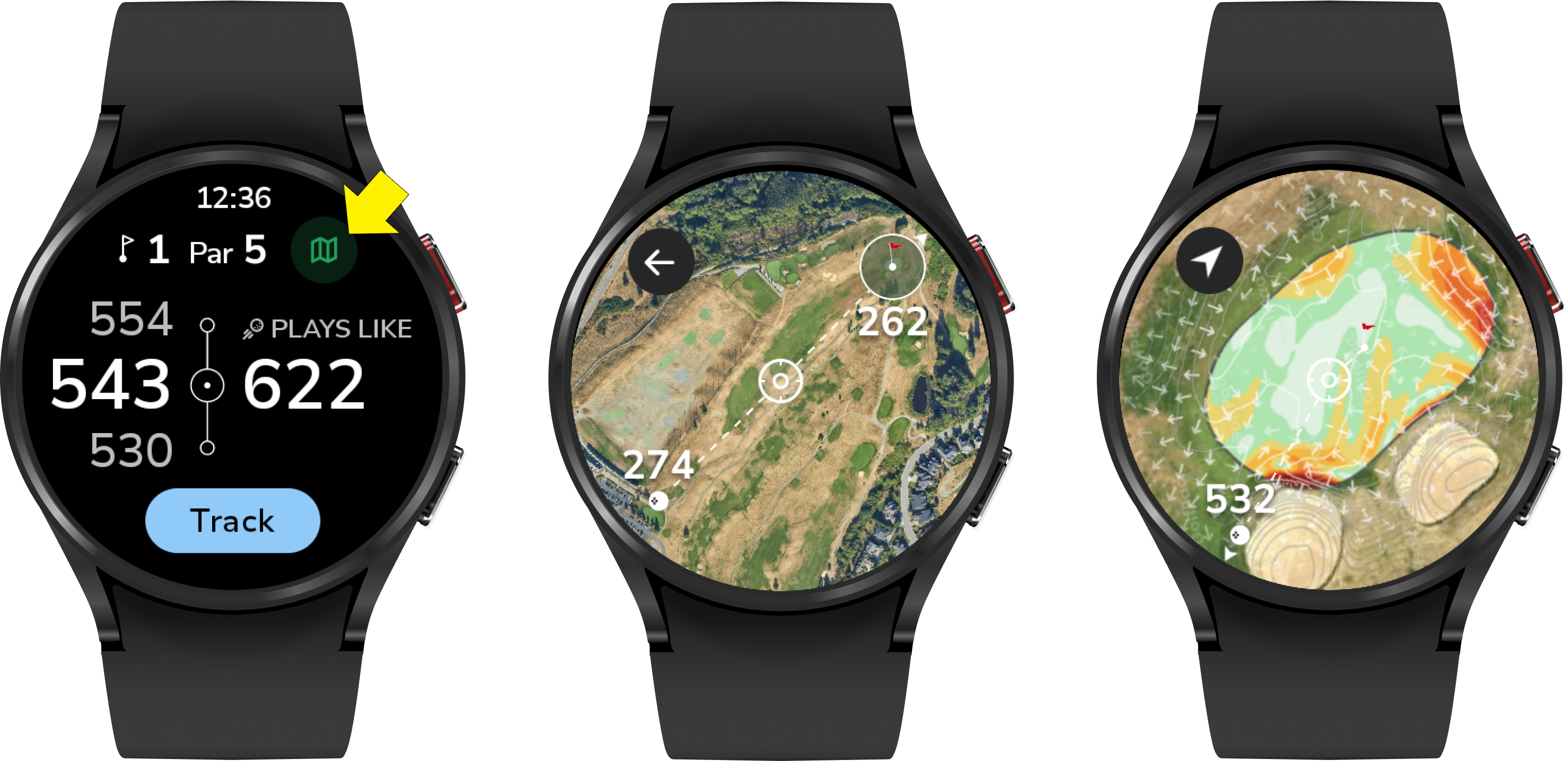
As of version 20.1.12, maps are now available on your watch! More information about the new feature can be found here.
Was this article helpful?
That’s Great!
Thank you for your feedback
Sorry! We couldn't be helpful
Thank you for your feedback
Feedback sent
We appreciate your effort and will try to fix the article